If you work with Corebridge Financial products, you may come across Connext Corebridge while managing insurance business, checking cases, or finding professional resources. It is mainly designed for financial professionals rather than regular insurance customers.
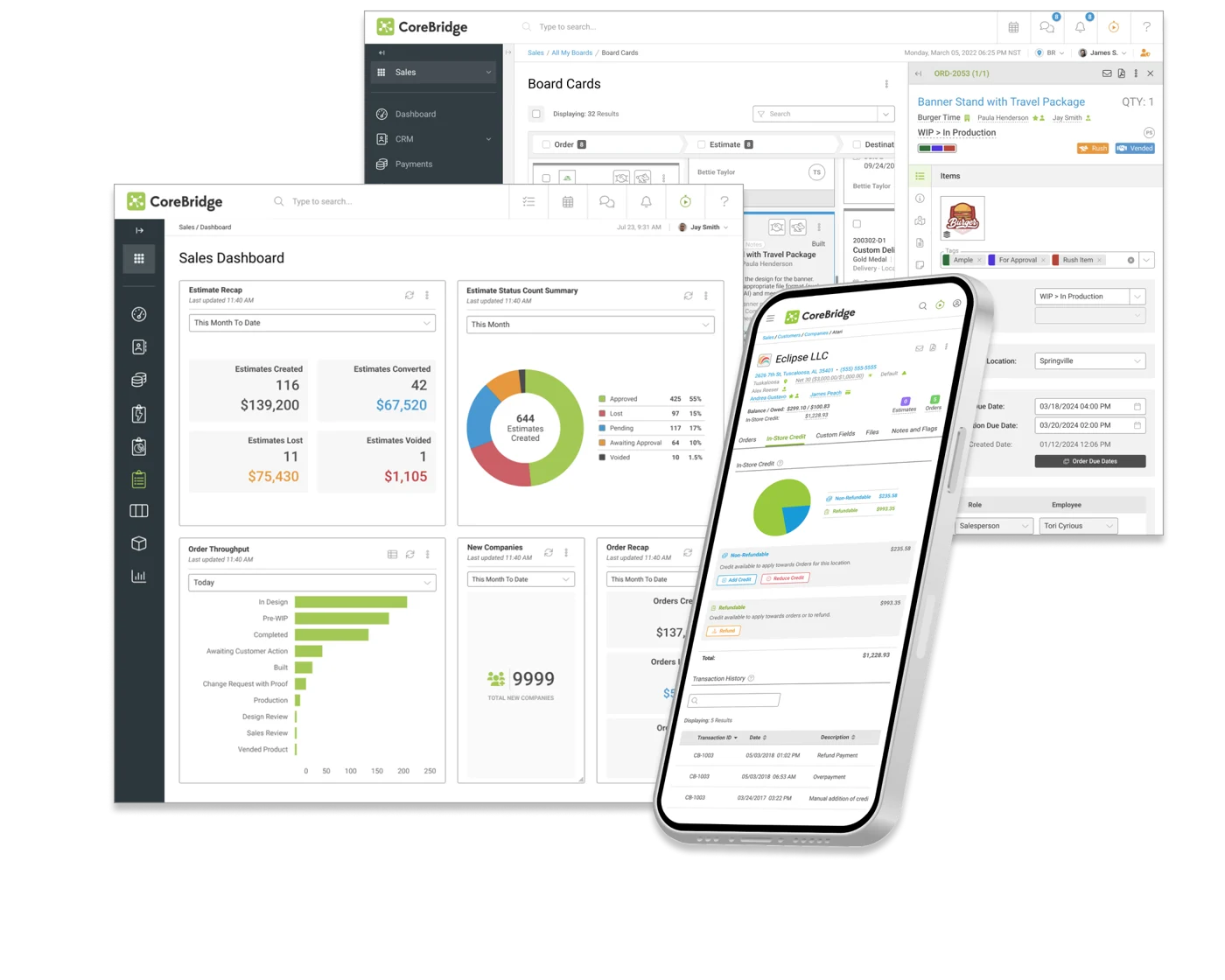
The portal gives authorized professionals one place to access business information and useful tools. Corebridge states that Connext can help financial professionals track new business, review commissions, and find marketing materials.
This guide explains what the platform is, how it works, what you can do inside it, and what to check if you have trouble signing in.
What Is Connext Corebridge?
Connext Corebridge is an online portal connected with Corebridge Financial. It is primarily intended for financial professionals, producers, agents, and other authorized users who work with eligible Corebridge insurance products.
Instead of contacting support every time you need basic business information, the portal provides access to several self-service resources.
Corebridge identifies Connext as its producer portal and says professionals can use it for areas such as policy information, new business status, licensing, contracting, and commissions.
This makes the platform useful for professionals who regularly need to follow insurance cases or find business documents.
How Does Connext Corebridge Work?
The basic idea behind Connext Corebridge is simple. An authorized professional signs in using their account credentials and then accesses the tools available for their business relationship with Corebridge.
Depending on the user’s permissions and products, the portal may help with tasks such as:
- Checking new business information
- Reviewing policy-related information
- Viewing commission details
- Finding marketing resources
- Accessing licensing information
- Checking contracting information
- Following submitted insurance cases
The exact tools available can depend on the user’s role and access level.
It is important to understand that Connext is different from Corebridge’s customer portals. Customers who own life insurance policies or annuities may be directed to separate customer websites.
Connext Corebridge Login Process
Using Connext Corebridge normally starts with the official producer portal.
Corebridge moved the Connext website to a Corebridge Financial web address as part of its transition from AIG Life and Retirement. The company explained that the address change affected access to the site while usernames and passwords remained unchanged at the time of the transition.
A simple login process usually looks like this:
- Visit the official Corebridge Financial website.
- Find the Connext or financial professional login option.
- Open the official Connext portal.
- Enter your registered username.
- Enter your password.
- Complete any security verification requested.
- Open your dashboard.
Avoid using login links from unknown emails, advertisements, or unofficial websites.
Main Features of Connext Corebridge
One reason professionals search for Connext Corebridge is that several useful functions can be available from a single dashboard.
New Business Tracking
Insurance professionals often need to know where an application stands.
Connext can provide access to new business information, making it easier to check progress without depending entirely on phone or email updates.
Policy Information
Authorized professionals may also be able to review information related to existing policies.
This can be useful when preparing for a client conversation or checking account details connected with an insurance case.
Commission Information
The platform can help professionals review commission-related information. Corebridge specifically lists commission information among the self-service resources available through its producer portal.
Marketing Resources
Professionals may need brochures, product information, sales resources, or other approved materials.
Corebridge says Connext provides access to marketing materials for financial professionals.
Licensing and Contracting
Licensing and contracting are important parts of working with an insurance carrier.
Instead of searching through different systems, authorized users may find relevant licensing and contracting information through the portal.
Why Financial Professionals Use Connext Corebridge
For people handling multiple insurance cases, Connext Corebridge can reduce the need to search through different sources for common information.
A producer may need to check one client’s application in the morning, review another policy later, and look at commission or sales information before the day ends.
Having these resources connected through one professional portal can make daily work easier.
There have also been platform improvements over time. For example, Corebridge announced enhancements in 2025 aimed at improving the availability and stability of New Business and Inforce data.
Connext Corebridge vs Customer Portals
A common mistake is assuming every Corebridge user should log in through Connext.
That is not the case.
Connext Corebridge is mainly aimed at financial professionals. Corebridge also provides separate online access for customers.
| Portal Type | Main User | Common Purpose |
|---|---|---|
| Connext | Financial professionals | Business, commissions, cases and resources |
| Life Customer Portal | Life insurance customers | Policy information and account services |
| Annuity Portal | Annuity customers | Balances, statements and account information |
| Retirement Services | Retirement plan participants | Savings and retirement plan management |
Corebridge says its life customer portal can help policyholders view policy details, make payments, update beneficiaries, and perform other account-related activities.
So, choosing the correct portal before signing in can save time.
What If Connext Corebridge Login Is Not Working?
If Connext Corebridge does not open or you cannot sign in, start with a few simple checks.
First, make sure you are using the current official Corebridge Financial website rather than an old bookmark.
Corebridge has changed some portal web addresses during its transition, and older saved links have previously stopped working.
You can also try:
- Checking your username carefully
- Resetting your password if necessary
- Opening the portal in another browser
- Clearing browser cookies and cache
- Turning off extensions that may block the page
- Checking your internet connection
- Confirming that your professional account is active
If the problem continues, use official Corebridge support options rather than sharing account information with an unofficial third party.
Is Connext Corebridge Safe to Use?
The safest approach is to access Connext Corebridge through an official Corebridge Financial website or a trusted company link.
Before entering login details, check the website address carefully.
Never give your password to someone who contacts you unexpectedly. Be especially careful with emails claiming that your account will be closed unless you immediately click a login link.
For additional protection, use a strong and unique password and follow any security verification offered by the platform.
Tips for Using Connext Corebridge Efficiently
Once you have access, a few simple habits can make the portal easier to use.
Bookmark only the current official portal page. Remove outdated bookmarks so you do not accidentally visit an old address.
Keep your login credentials private, and organize frequently used resources so you can find them quickly.
If you regularly handle new insurance cases, checking the dashboard consistently can also help you notice missing requirements or status changes earlier.
Final Thoughts
Connext Corebridge is a useful online resource for financial professionals working with Corebridge Financial. It brings together tools for new business tracking, policy information, commissions, licensing, contracting, and professional resources.
The most important thing is to use the correct official portal. Connext is primarily for financial professionals, while policyholders and other customers may need one of Corebridge’s separate customer portals.
Understanding this difference can make account access much easier and help users find the information they need without unnecessary confusion.
Frequently Asked Questions
1. What is Connext Corebridge used for?
Connext Corebridge is mainly used by authorized financial professionals working with Corebridge Financial. It provides access to professional resources such as new business information, policy details, commissions, licensing, contracting, and marketing materials.
2. Is Connext Corebridge for policyholders?
Generally, Connext is designed for financial professionals. Corebridge provides separate customer portals for areas such as life insurance and annuity accounts. Policyholders should choose the customer portal that matches the type of product they own.
3. How do I access the Connext Corebridge login?
The safest method is to visit the official Corebridge Financial website and follow its Connext or financial-professional portal link. This helps reduce the risk of entering your account information on an outdated or unofficial website.
4. Why is my Connext login not working?
Login problems can happen because of incorrect credentials, an old bookmarked URL, browser issues, password problems, or account-access restrictions. Check the official portal address first and use Corebridge’s official support options if the problem continues.
5. Can I check commissions through Connext Corebridge?
Yes. Corebridge lists commission information among the resources available through its producer portal, although the information available to each user can depend on their account permissions and professional relationship with Corebridge.