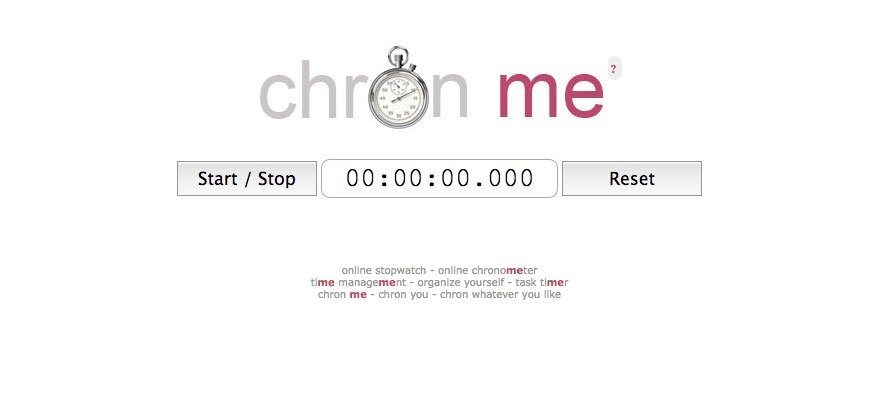
When a normal stopwatch is not enough, the stopwatch takes a more useful approach: it records not only elapsed time, but also the individual activity sessions behind that time. The result is a lightweight way to see when a task started, how long it lasted, and what you were doing during each recorded interval.
Chronme is built around a simple idea. Start the clock, stop it when the task ends, add a short label, and build a running activity log. That makes it useful for students, freelancers, speakers, researchers, support teams, and anyone who wants a clearer picture of where time goes.
What Is Chronme?
It is an online stopwatch and time-recording tool designed to capture multiple timed activities in a structured list. Its English version has been available since 2008, and the service has evolved from a basic web stopwatch into a more practical activity tracker.
Chronme at a Glance
| Feature | What it offers |
|---|---|
| Stopwatch | Start and stop elapsed-time measurements |
| Activity log | Records separate timed sessions |
| Labels | Add descriptions to recorded activities |
| Lap/split timing | Record intervals without ending the main stopwatch |
| Keyboard controls | Use keyboard shortcuts for faster operation |
| Export | Save activity records as CSV or SCSV |
| Web access | Use it directly in a browser |
| Mini version | A compact version is available for simple embedding |
How Chronme Works
The basic workflow is intentionally uncomplicated.
- Open the online stopwatch and start the timer.
- Work on one activity until you are ready to record the interval.
- Stop the stopwatch to create a new entry.
- Add a short label describing what you were doing.
- Repeat the process for additional tasks or sessions.
- Export the finished list when you need a record outside the browser.
Older documentation also describes keyboard controls, including Enter for starting and stopping, Insert for taking a lap without stopping the main stopwatch, and Escape for resetting the log. Some localized versions document an additional Shift-based split action, so shortcut behavior can vary by version.
Key Features of Chronme
1. Multiple activity records
A major strength of the service is its ability to create a sequence of timed records instead of treating the stopwatch as a single measurement. Each time you stop the clock, a new line is added to the activity history.
2. Labels that add context
Elapsed time without context is often hard to interpret. A 35-minute interval could be writing, troubleshooting, studying, or waiting for a process to finish.
The stopwatch lets users attach descriptions to the recorded entries, turning a stream of numbers into a readable activity log. The official documentation specifically describes adding labels to each activity.
3. Lap and split timing
Not every measurement should stop the main clock. The service added lap timing so users can capture intermediate points without ending the active stopwatch. The service’s documentation and older feedback records describe keyboard-based lap functionality as an enhancement introduced in response to user requests.
This is useful for presentations, experiments, repeated drills, production stages, or any process where you want checkpoints inside one continuous session.
4. CSV and SCSV export
The export option is one of the most practical features for anyone who wants to analyze time outside the browser. Recorded lists can be downloaded in CSV and SCSV formats and opened or imported into spreadsheet software such as Excel and Google Sheets.
5. Browser-based simplicity
The service does not try to replace an entire project-management system. Its value comes from doing one job with relatively little friction: timing activities and keeping the resulting records organized.
Who Should Use Chronme?
Freelancers and consultants
Billable work often becomes inaccurate when people estimate hours at the end of the week. The tool can provide a straightforward record of when work began and how long a session lasted, especially when tasks are divided across a day.
Students
Students can use the tool to compare planned study time with actual study time. Instead of saying “I studied for a while,” you can see how long reading, problem solving, research, or revision sessions actually took.
Public speakers and presenters
A presentation can feel short while practicing and surprisingly long in front of an audience. Timing individual sections lets speakers identify where they are running over budget and which parts need tightening.
The service has historically been used for speech preparation, according to the service’s own documentation.
Teams and operations
Simple timing can also help when the question is operational rather than personal. Historical examples published by the service include project timing, monitoring factory delays, call-center call durations, service-request timing, and video synchronization. These examples illustrate how the tool can work as a lightweight measurement utility beyond personal productivity.
Chronme vs. a Standard Stopwatch
A traditional stopwatch answers one question: “How much time passed?”
The stopwatch can answer several questions:
- When did the activity begin?
- How long did it take?
- What was the activity?
- How many separate sessions were recorded?
- Can the results be exported for later review?
Pros and Cons of Chronme
Pros
- Simple start-and-stop workflow
- Separate entries for multiple activities
- Labels provide useful context
- Lap and split capabilities
- CSV and SCSV export
- Keyboard operation
- Long-running service with an English version dating back to 2008
Cons
- It is intentionally focused on timing rather than full project management.
- Users looking for calendars, team assignments, automatic billing, or advanced analytics may need another tool.
- Shortcut behavior can differ across localized versions, so checking the controls shown by your version is sensible.
How to Get More Value From Chronme
The biggest mistake is treating a timer as the goal. The useful part is the information you learn from the measurements.
Start by choosing a small number of categories. For example, a freelancer might track “Client A,” “Client B,” “Admin,” and “Research.” A student might use “Reading,” “Exercises,” and “Revision.”
Keep labels short and consistent. “Client A – article research” is more useful later than vague entries such as “work” or “task.”
Measure for several days before changing your routine. One unusually productive afternoon does not reveal much. A week of records can expose patterns, such as too much time spent switching between tasks or underestimating research.
Finally, export the data when you need a broader view. A spreadsheet makes it easier to total durations, group work by category, and compare estimated time with actual time.
Is Chronme Free?
The service describes its online stopwatch as a free tool, making it accessible for quick timing without the setup associated with larger productivity platforms. Its core value is convenience: open the browser, start timing, and build a record as you work.
In 2025, updated localized editions were announced for Turkish, Chinese, Hindi, Indonesian, and Japanese audiences worldwide.
Common Mistakes When Using the Stopwatch
The first mistake is starting the timer without deciding what you are measuring. If the categories are inconsistent, the resulting log becomes difficult to interpret.
Frequently Asked Questions About the Stopwatch
Is the service an online stopwatch?
Yes. The service is presented as an online stopwatch that also keeps a record of timed activities, including start times, durations, dates, and labels.
Can the service export time records?
Yes. Its documented export options include CSV and SCSV, which can be opened or imported into compatible spreadsheet software.
Does the service support lap timing?
Yes. The service documents lap timing that lets users record an intermediate interval without stopping the main stopwatch.
Can the service help with productivity?
It can support productivity tracking by showing how long tasks actually take. The more important benefit is the data: once you can see your real time patterns, you can make better decisions about priorities and estimates.
Is the service a replacement for project-management software?
Not really. The service is best viewed as a focused timing and activity-recording utility. It can complement project tools, but users who need assignments, dependencies, team dashboards, workflow automation, or advanced reporting will likely need a broader platform.
Final Verdict
Chronme stands out because it turns a simple stopwatch into a lightweight activity record. Its combination of start-and-stop timing, labels, lap functionality, keyboard controls, and spreadsheet-friendly exports gives it more practical value than a timer that only shows elapsed seconds.
For freelancers, students, presenters, researchers, and teams that need straightforward time measurements, Chronme can be an efficient choice. The best way to use it is not to time everything, but to measure the activities that will teach you something about your workflow.